Getting Started: How to Enroll in Medicare
At Michael Sailor Insurance, we understand that Medicare can feel complicated, so we simplify the process with a step-by-step guide below to help you enroll. Once you are enrolled, you can schedule your consultation.
Enroll online with the following steps:
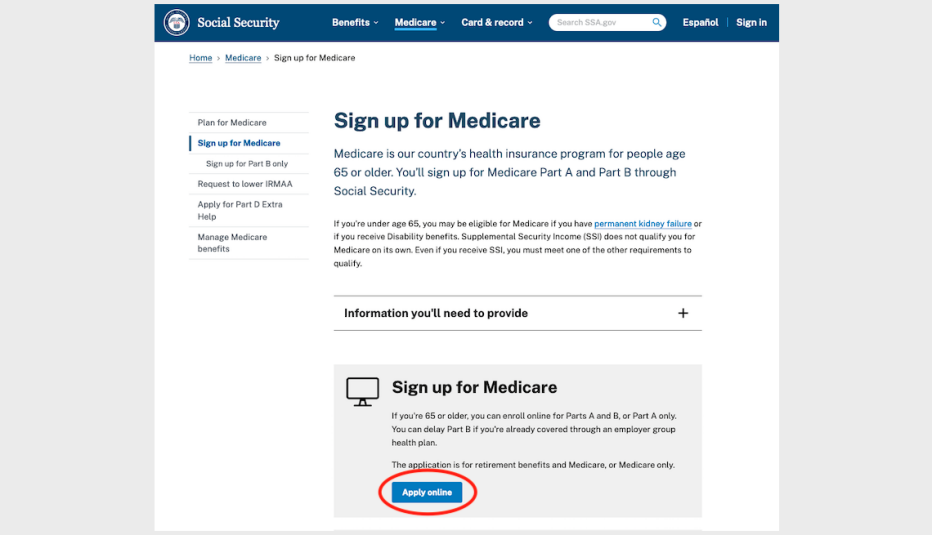
1. To sign up, go to the Social Security Administration website. Click Sign up for Medicare | Apply online.
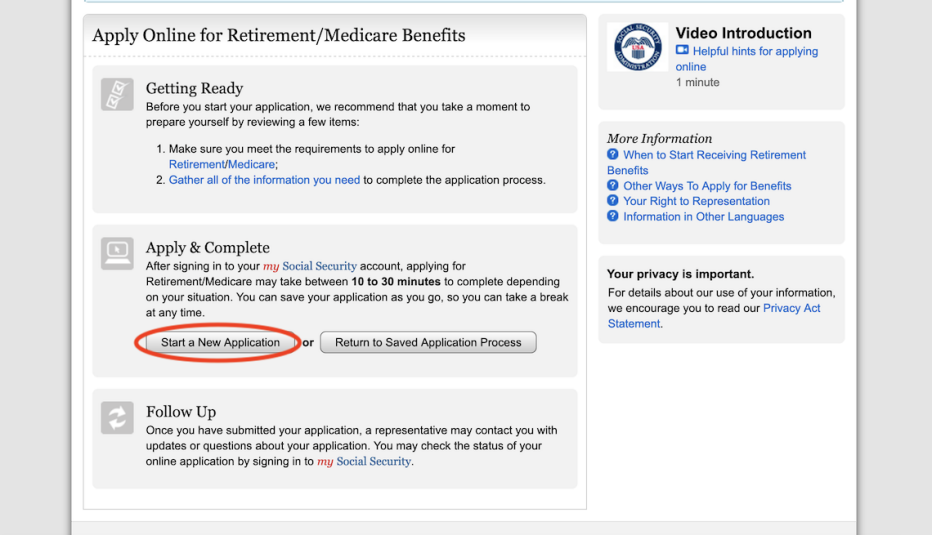
2. You’ll need to accept the terms of service. After doing so, click Next. On the Apply for Benefits page, choose Start a New Application. Note that you’ll be asked to sign in to your online Social Security account or create one.
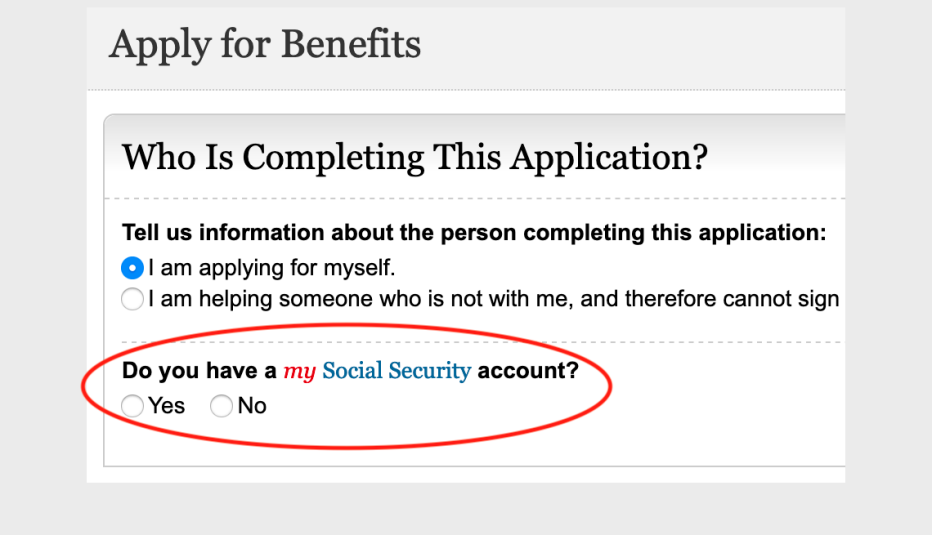
3. On the next screen, indicate whether you have an online Social Security account.
4. If you have an online Social Security account, you’ll need to log in.
5. After you’ve logged in to your account, you’ll need to provide personal information.
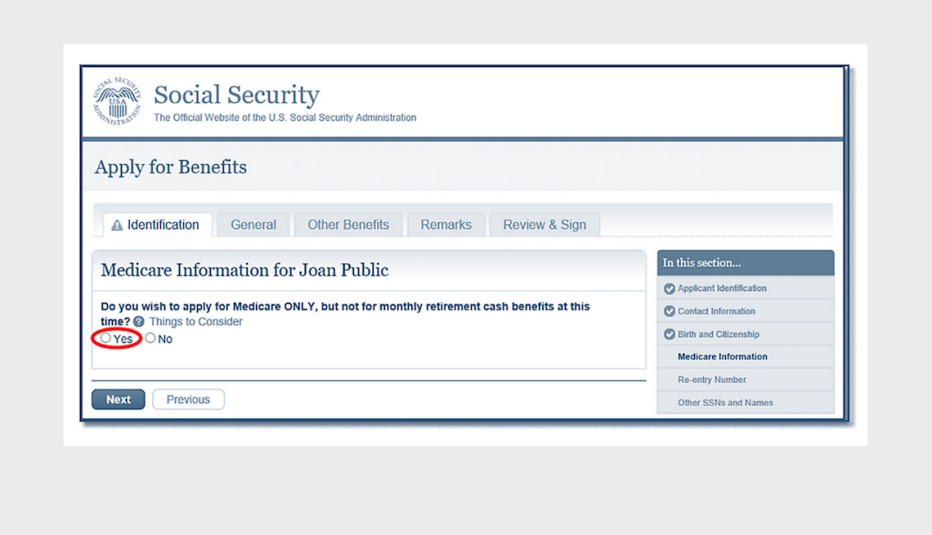
6. On the next screen, click Yes where it asks about applying for Medicare only.
7. If you want to sign up for Part B benefits in addition to Part A, click Yes.
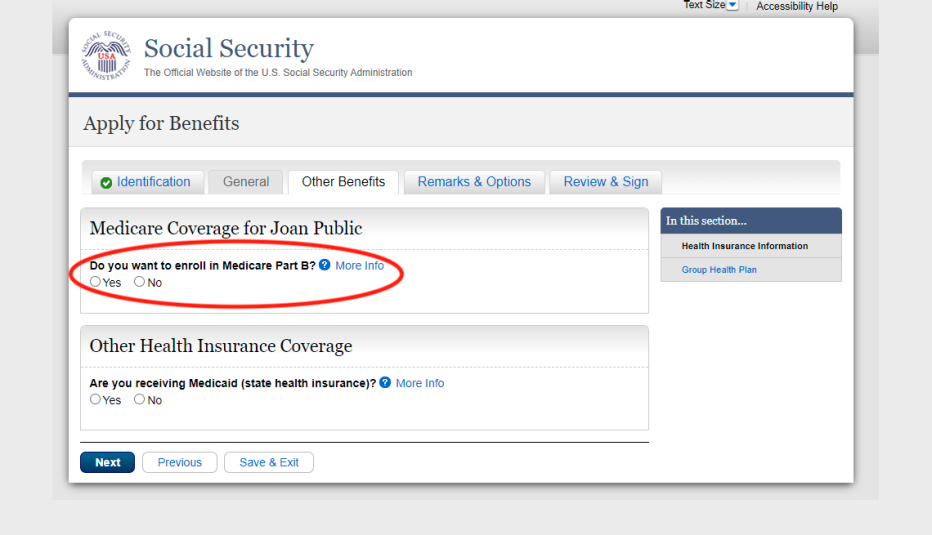
8. Now provide information about your group health plan, employment and health insurance.
9. Once you’ve completed these steps, check the electronic signature agreement box and click Submit Now. You’ll receive a receipt that you can print and keep for your records.
We look forward to helping with your Medicare journey once you are registered. If you have any questions in the meantime, give us a call at 970-920-9500.
This information was obtained from www.medicare.gov
By contacting the phone number on this website you will be directed to a licensed agent.
NOT AFFILIATED WITH OR ENDORSED BY THE GOVERNMENT OR FEDERAL MEDICARE PROGRAM.